The Best Part Has No AI in It
On building the plumbing between the prompts.
A friend of mine just got a 3D printer. He read my last post, the one about building a Soviet army in three evenings, and quite reasonably wanted to know how to do it himself. We were on our phones. He could not really sit and read the prompt in full, could not digest the style-versus-pose distinction, could not work through the order of operations. He got the idea but not the practice, and so he was rediscovering most of it from scratch.
I sat on a train, somewhere in the middle of nowhere between Birmingham and London, forty minutes delayed, and thought: I should build an app for this.
That is how it always starts. The instinct is so reliable it should come with a giant neon warning sign. Someone is struggling with a thing, the thing involves AI, therefore the answer is inevitably an app, and the app is, of course, a chat interface with some clever scaffolding around it. A wrapper around ChatGPT. A harness. A guided experience. Something that takes the prompt I wrote and the workflow I described and turns it into screens and buttons and a Stripe integration. Obviously.
I started sketching the UI in my head. A screen for defining the style. A screen for managing units. A screen for the chat. A screen for cropping. A screen for the 3D generation tool, Meshy, which is the thing that takes my front and back images and turns them into a printable model. By the time I had imagined the seventh screen I had also imagined a roadmap, a pricing page, and a moderately depressing conversation with myself about whether I really wanted to maintain a SaaS in my spare time.
Somewhere around screen eight, I had the good sense to stop and talk to Claude about it before writing any code.
This is a habit I have been cultivating for a while now. Before I dive into building something, I describe what I think the problem is and let the conversation poke holes in my framing. It is less about getting answers and more about being forced to articulate the thing precisely enough that the answer becomes obvious. I went in with two ideas, an app and an AI harness, both of which felt complicated, and asked what the actual pain points were. What was I actually trying to solve.
When I started listing the pain points out loud, something shifted.
The pain points were not what I thought they were. I had assumed the friction was conceptual. Understanding the style-versus-pose split. Knowing how to write the brief. Figuring out the seed image. Those are real, but I had already solved them in the last post. What I had not solved, and what was actually eating my time, was the mechanical mass of doing this fifty times in a row. Copy-pasting the slightly modified style brief into a fresh chat. Maintaining a working version of it in an Obsidian file that constantly drifted from the version I had actually used last time. Screenshotting the front and back. Saving them to my increasingly overloaded chaotic desktop. Uploading them to Meshy. Coming back later to check if the task was done. Downloading the model to an increasingly cluttered downloads directory. Putting it somewhere I would remember (or inevitably not). Repeating, in order, fifty times, with all the small variations and exceptions that creep in across a real collection.
None of that needed AI. None of it needed a chat interface. None of it needed an app. It needed a filesystem with opinions and a CLI with verbs.
The product instinct in this moment is to make everything more AI-shaped. This wanted to become less AI-shaped.
So I built that instead.
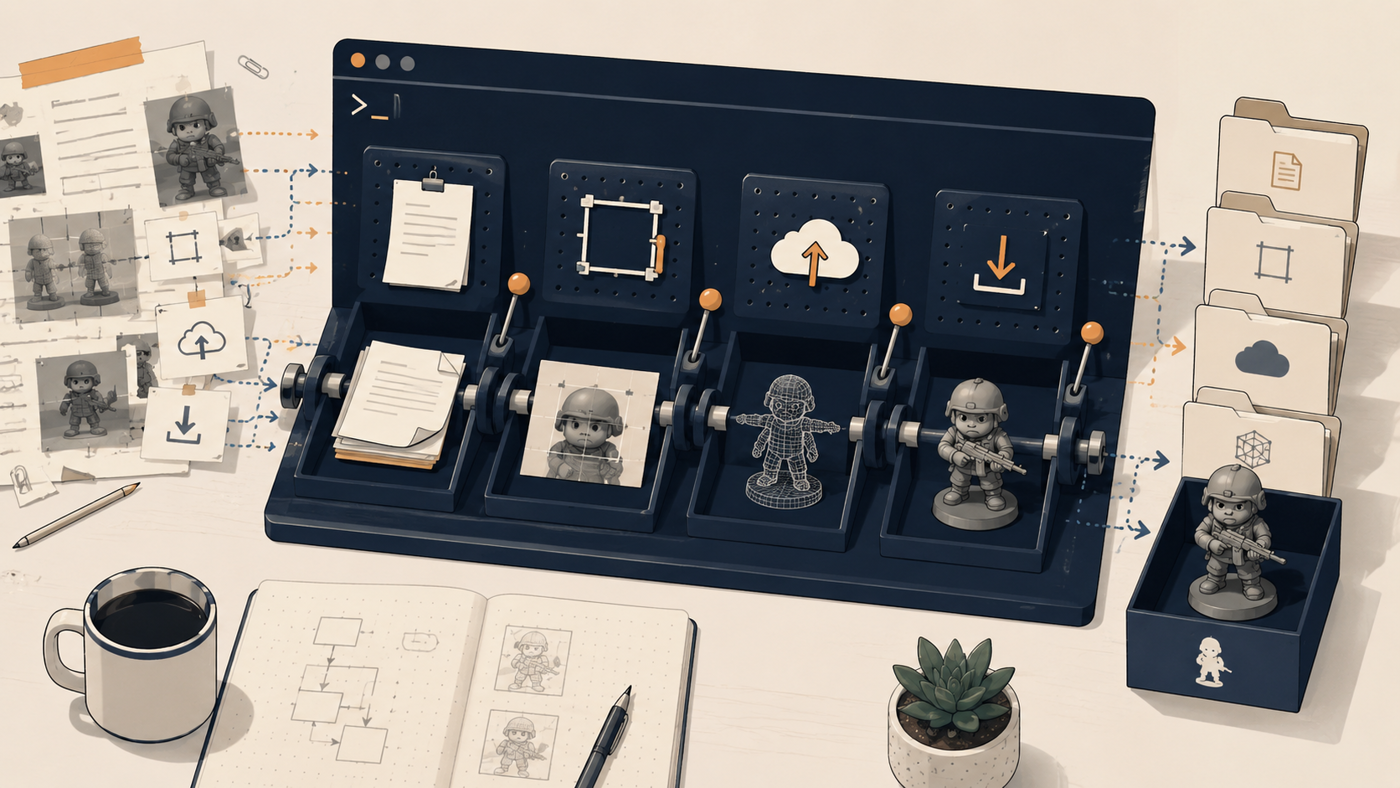
It is called pb. Print bench. It is a Python CLI with about ten commands, organised around the structure I had spent half a German army discovering by hand last time. A project has a style.md, which is the thing that stays stable across the whole army. A subjects.yaml, which is the things that vary, one model at a time. And a seed.png, which is the reference image that anchors the visual identity. That separation is now the first thing the tool enforces, because it is the only thing in the workflow that actually matters and the only thing that is easy to lose track of if you do not write it down.
Then there is the loop:
pb list
pb prompt model-name   # assemble the brief, copy to clipboard
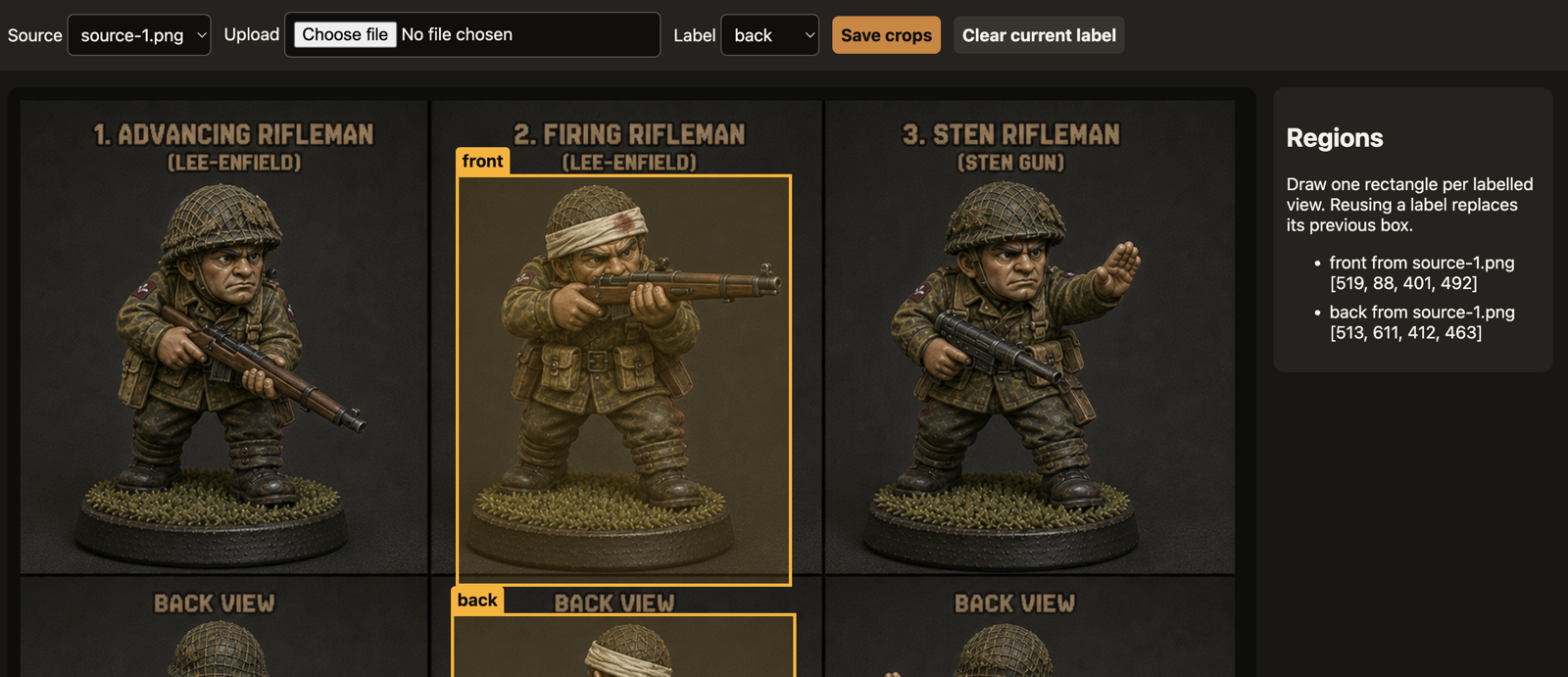
pb crop model-name v1  # draw regions, save front and back
pb upload model-name v1   # send to Meshy
pb fetch model-name v1 --wait   # download the model when ready
That is it. pb prompt assembles the prompt from the style guide and the subject brief and copies it to my clipboard. I paste it into ChatGPT, have my conversation, pick a pose, generate the images. pb crop launches a tiny local web server, I drag the image in, draw labelled regions for front and back, hit save, and the cropper writes the original, the region geometry, and the extracted views to disk. pb upload submits them to Meshy. pb fetch waits and downloads the model when it is ready. There is a pb learn too, which lets me append a dated lesson to the style guide whenever I notice something worth remembering, but it is sugar on top of the main loop.
There is no AI in any of it.
I want to be precise about that, because it sounds like a slightly silly thing to say about a tool built specifically for an AI-assisted workflow. The whole point of the tool is to enable AI work. But the tool itself does not call a model, does not embed an LLM, does not have an agent loop, does not have a chat interface. It is string manipulation, file IO, a browser cropper, and some HTTP requests to Meshy’s API. That is it. It is the most boring possible piece of software, and that is exactly why it works.
The Germans took weeks. Thirty-two models, fumbled through one at a time, reverse-engineering the brief as I went. The Soviets took three evenings, fifty-two models, with the style-versus-pose discipline figured out but everything else still manual. And the British? The British took roughly a day. Forty-one models. I spent maybe two or three hours of that day actually paying attention. The rest was the printer running while I did other things.
I want to be honest about where that speedup came from, because the clean version of this story is misleading. The first jump, from weeks to three days, was almost entirely conceptual. It was the discipline of separating the stable thing from the changing thing, the style from the subject, and getting the order of operations right in the prompt. That was the discovery the last post was about, and it would have produced most of that speedup with no tooling at all.
The second jump, from three days to one, is where pb actually earns its keep. The conceptual work was already done. What was left was just the mass of mechanical busywork around the conceptual work, and that turns out to be a much bigger fraction of the total time than I would have guessed before I tried to remove it. The clipboard juggling. The filename hygiene. The “wait, which version of the style guide did I actually use last time.” The Meshy task IDs in a Notes file somewhere. The “how many more models do I actually need?”. All of it small, none of it valuable, all of it adding up.
The tool is also, almost incidentally, the thing I can hand to my friend. I have not actually handed it to him yet. But when I do, it will not be because it does the thinking for him, it cannot, but because it gives him the structure to do the thinking himself. The style guide template forces him to write down the visual rules. The subjects file forces him to enumerate what he is building. The seed image forces him to commit to a reference. The directory layout means his decisions accumulate somewhere durable instead of evaporating inside chat threads. The CLI carries state between the moments where his judgement is actually needed. He still has to make every important call. The tool just gets out of his way for everything else.
This is, I think, the bit that is making me look sideways at a lot of other things.
The reflex when building anything in this moment is to put AI at the centre of it. To make the AI the product. To wrap a chat around it, to add an agent, to integrate a model, to find somewhere to call an LLM. And there is a vast amount of perfectly good work being done in exactly that shape. But sitting in front of pb, which is just plumbing, I keep thinking about how much of the value came from doing the opposite. From looking at a workflow that had AI in it, finding the places where the AI was already doing what it needed to do, and then carefully, deliberately, automating everything between those places without any AI at all.
The decisions are where the value is. Choosing the style. Reading the three pose options and picking one. Looking at the generated image and going “yes, that one.” Looking at the Meshy output and deciding it is worth keeping, or it is not. Those are the moments where the human matters. They are also a small fraction of the total time the workflow used to take, because they were buried inside an enormous amount of cruft that had nothing to do with judgement and everything to do with moving things between windows.
What if a lot of what we are about to build looks like this. Not products that put AI at the centre, but products that take the cruft out from around the AI. Products whose job is to separate the moments where a person needs to think from the moments where a person is just moving bytes around because nobody else will. Products that respect the parts of the workflow where taste lives, and quietly, ruthlessly, automate everything else, including the bits that are not AI at all.
I am still mulling this over. It feels almost too simple to be a grand theory of anything, a lesson pulled from a hobby project that I am trying to stretch over an entire industry. But I keep noticing the same shape elsewhere: the model is not always the missing piece. Sometimes the missing piece is everything around the model.
The most valuable AI products might not be very AI at all. They might just be the thing that lets you get to the AI faster, and then get out of the way while you do the part that matters.