Doesn't Look Like Anything to Me
What happens when you point five 3D generation models at the same concept image.
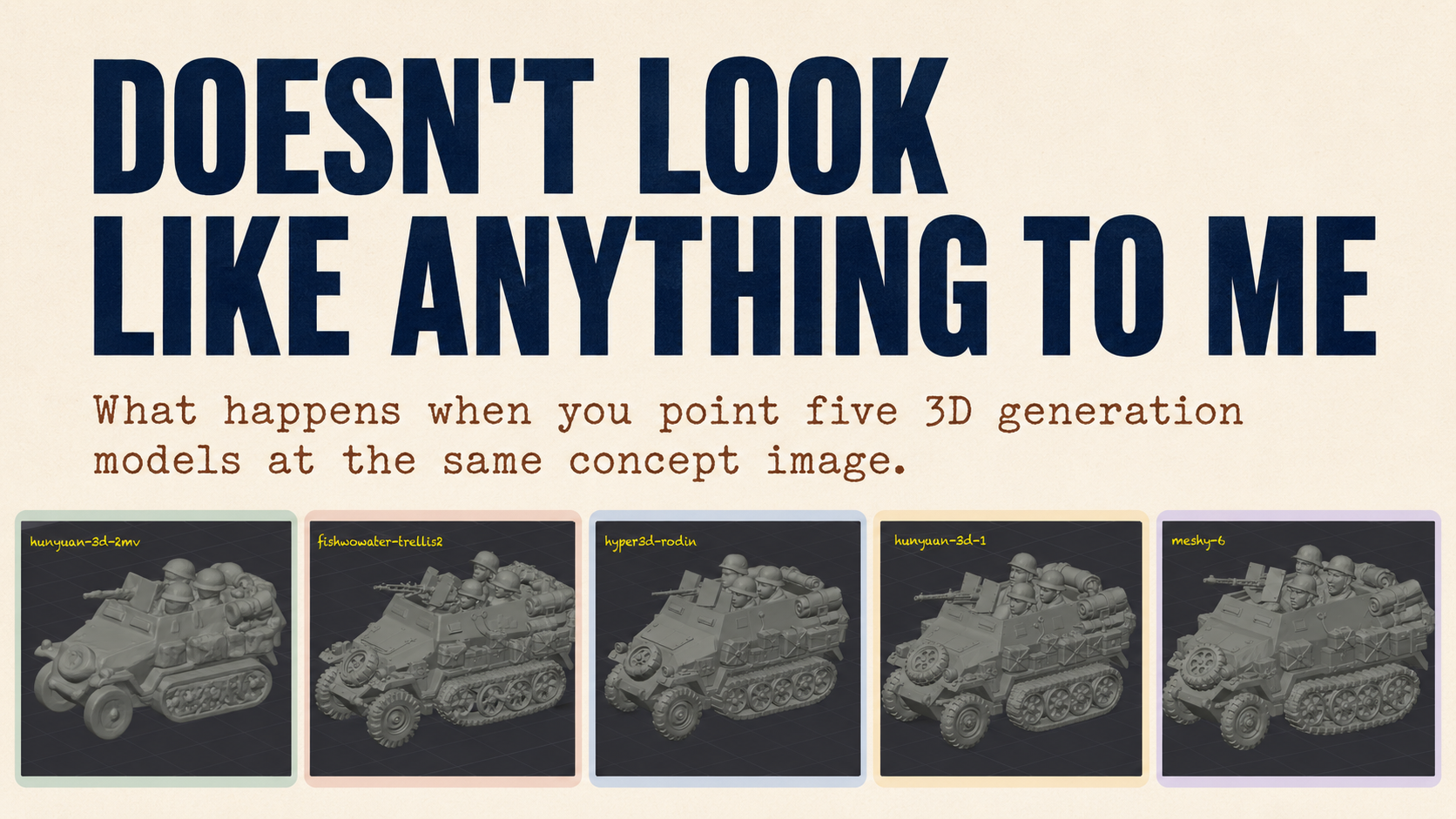
I have been generating 3D models of World War II miniatures for printing. Concept image in, printable model out, slice it, print it on an A1 mini. The 3D model generation has been mostly Meshy, because Meshy has been mostly good enough, and good enough is a powerful drug.
Then I ran out of credits.
Of course I did. The credits don’t map to dollars in any way I can keep in my head. You get a monthly allocation on the sub, and you spend them in increments of “twenty credits for this thing, hopefully that means something useful at the end of it.” Which is fine until the day it isn’t, and the day it isn’t is the day you have momentum and an idea and a queue of concept images lined up, and the tool politely tells “Your call is important to us … please hold…”.
So I went looking for an alternative. Found Replicate. Replicate hosts four or five different 3D generation models behind a single interface, which meant that for the first time I could give the same concept image to several different models and look at what came back.
Which meant the credit wall hadn’t blocked me. It had just rerouted me into something much more interesting. An experiment!
The CLI I had built to drive all of this was vibe-coded. It talked to Meshy because Meshy was the thing that worked, and there was no reason to abstract anything until there was a reason to abstract something. Now there was a reason. I wanted to swap backends, and ideally I wanted to swap between multiple backends without thinking about it.
I used Matt Pocock’s improve-code-architecture skill to walk through the refactor. The skill raised some potential wins, I went for the Adapter pattern because Science! The CLI now has a proper adapter interface. Meshy is one backend. Hi3D is another. Replicate is a third, and behind Replicate sit a handful of named models with their own adapters.
The current lineup includes:
- meshy
- hyper3d/rodin
- tencent/hunyuan3d-2mv
- tencent/hunyuan-3d-3.1
- fishwowater/trellis2
Which means I can give the same concept image to multiple models, line the outputs up next to each other, and look at how they each interpret the same brief.
The half-track
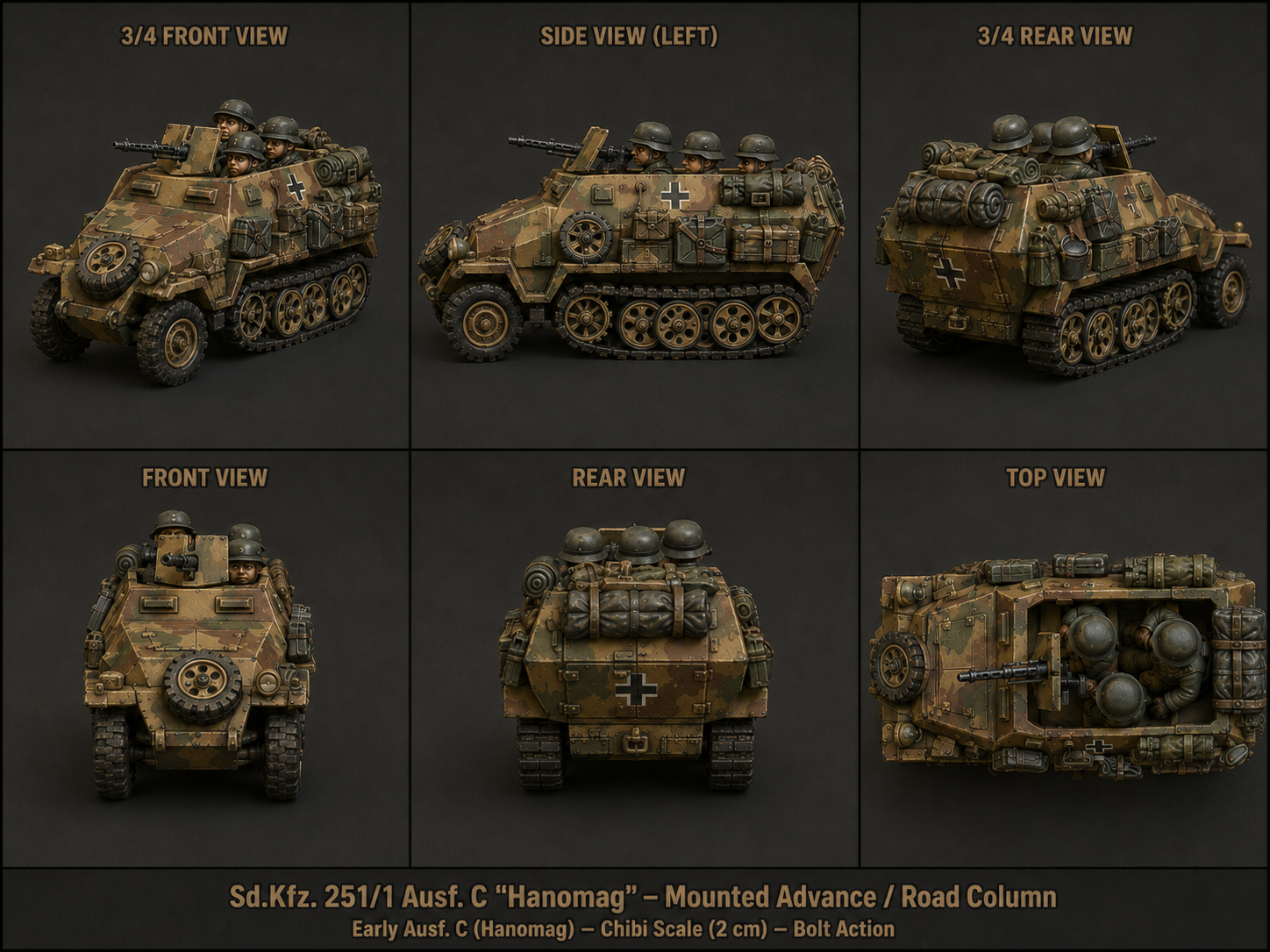
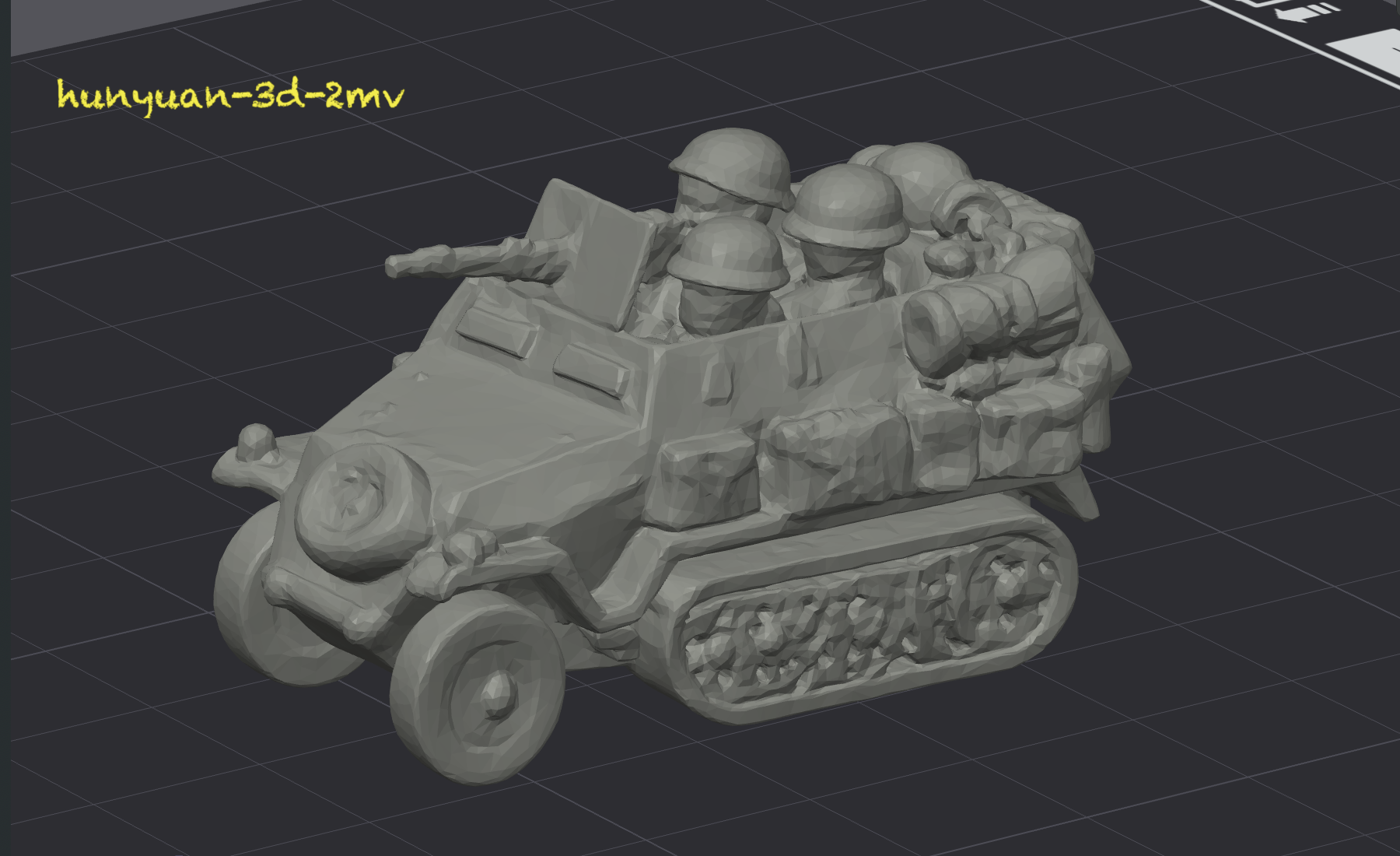
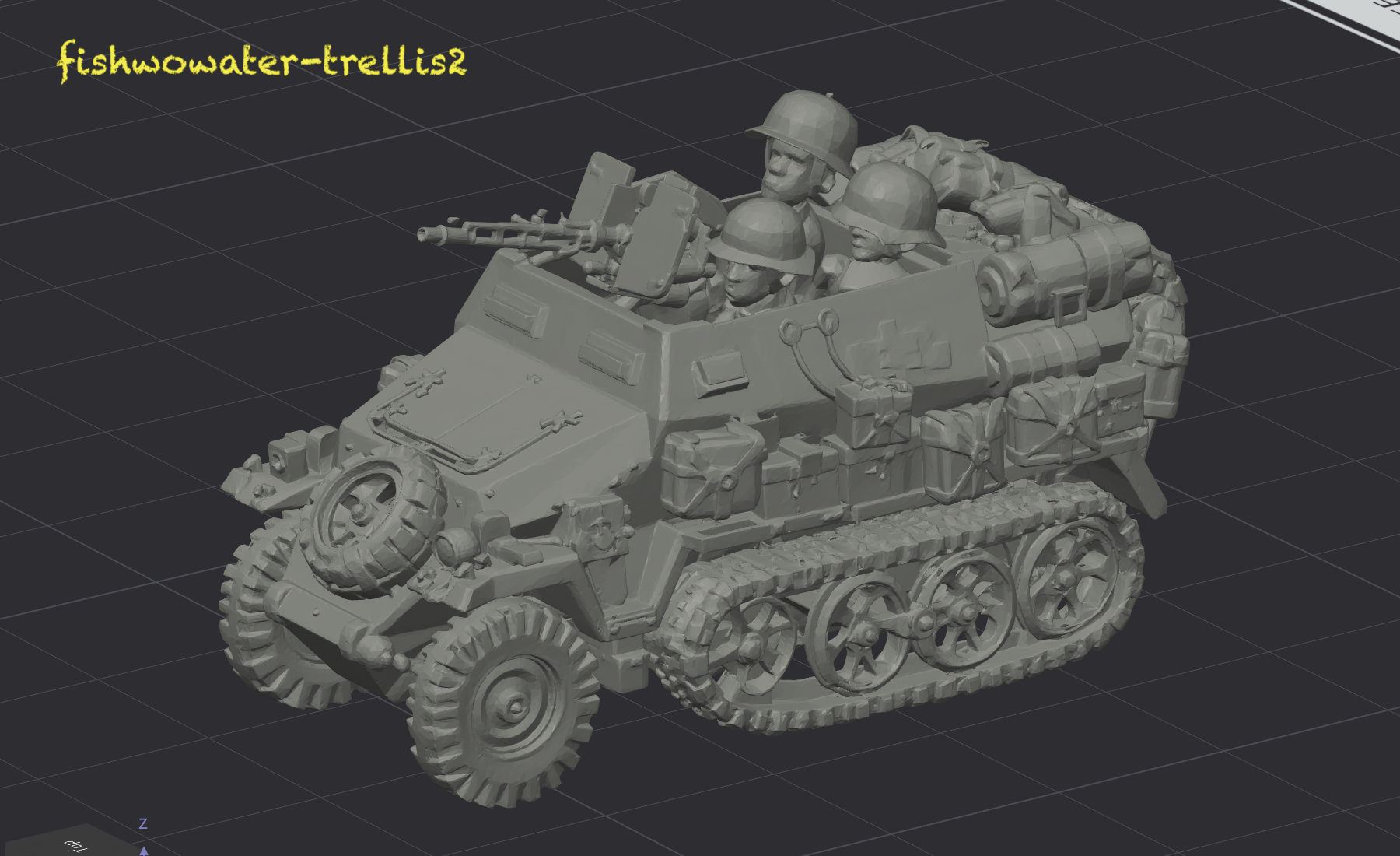
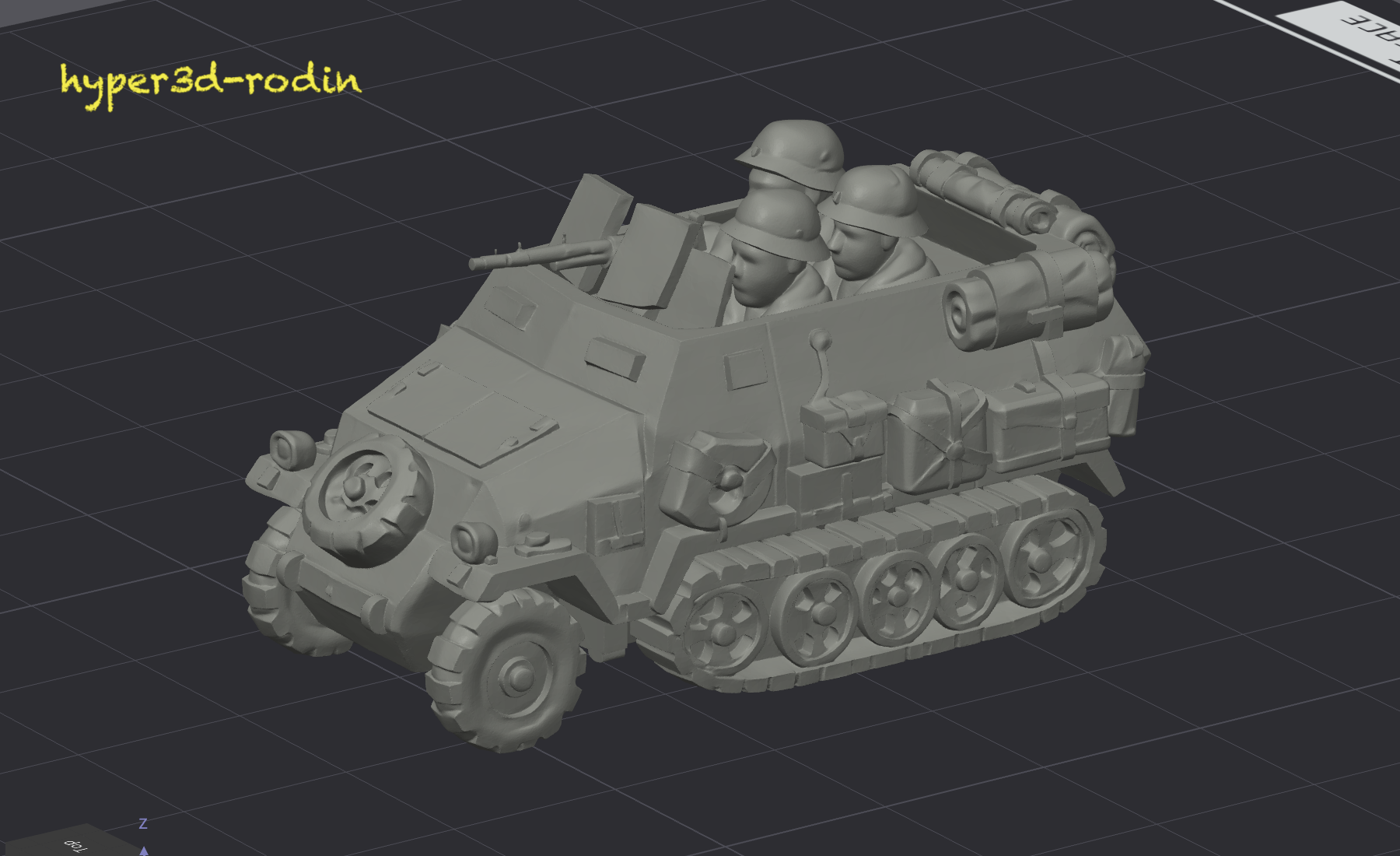
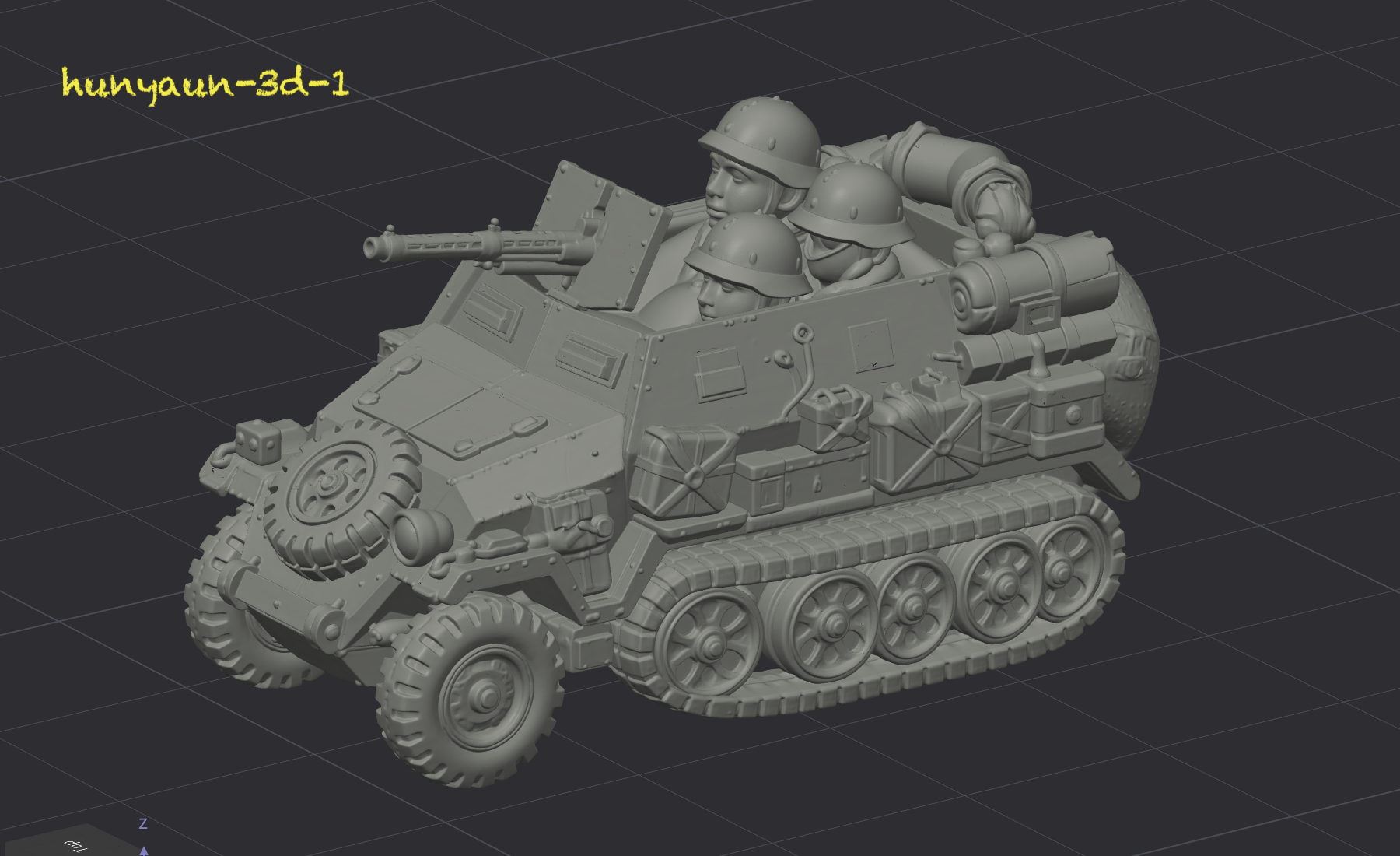
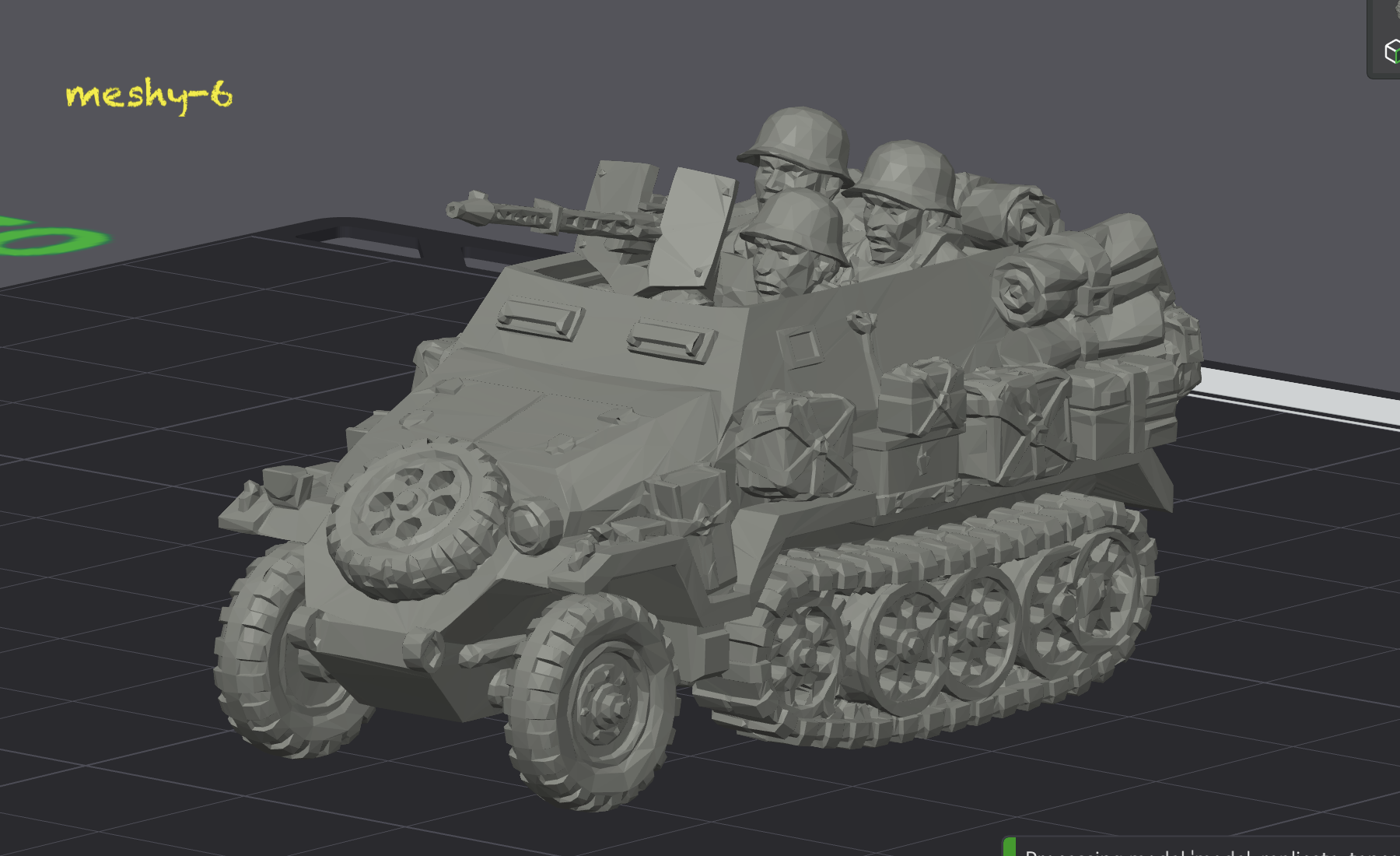
The concept image is not subtle. It has a short, chunky Hanomag, oversized tracks, visible crew, side stowage, a front MG, and a very clear silhouette. The models still disagree wildly about what the object is.
Same input image, very different takes. Meshy got the half in half-track. Hunyuan2mv is unrefined clay. Trellis got the composition right and the heads wrong. Rodin is restrained to a fault and struggles with faces.
The infantry
Vehicles give a model lots of places to bluff. If the wheel spacing is wrong or the stowage melts into the hull, your eye may forgive it because there is still a vehicle-shaped mass. Infantry are harsher. A face, a helmet, a weapon, a pose: there are fewer components and each one matters more. The model either understands the figure or it doesn’t.
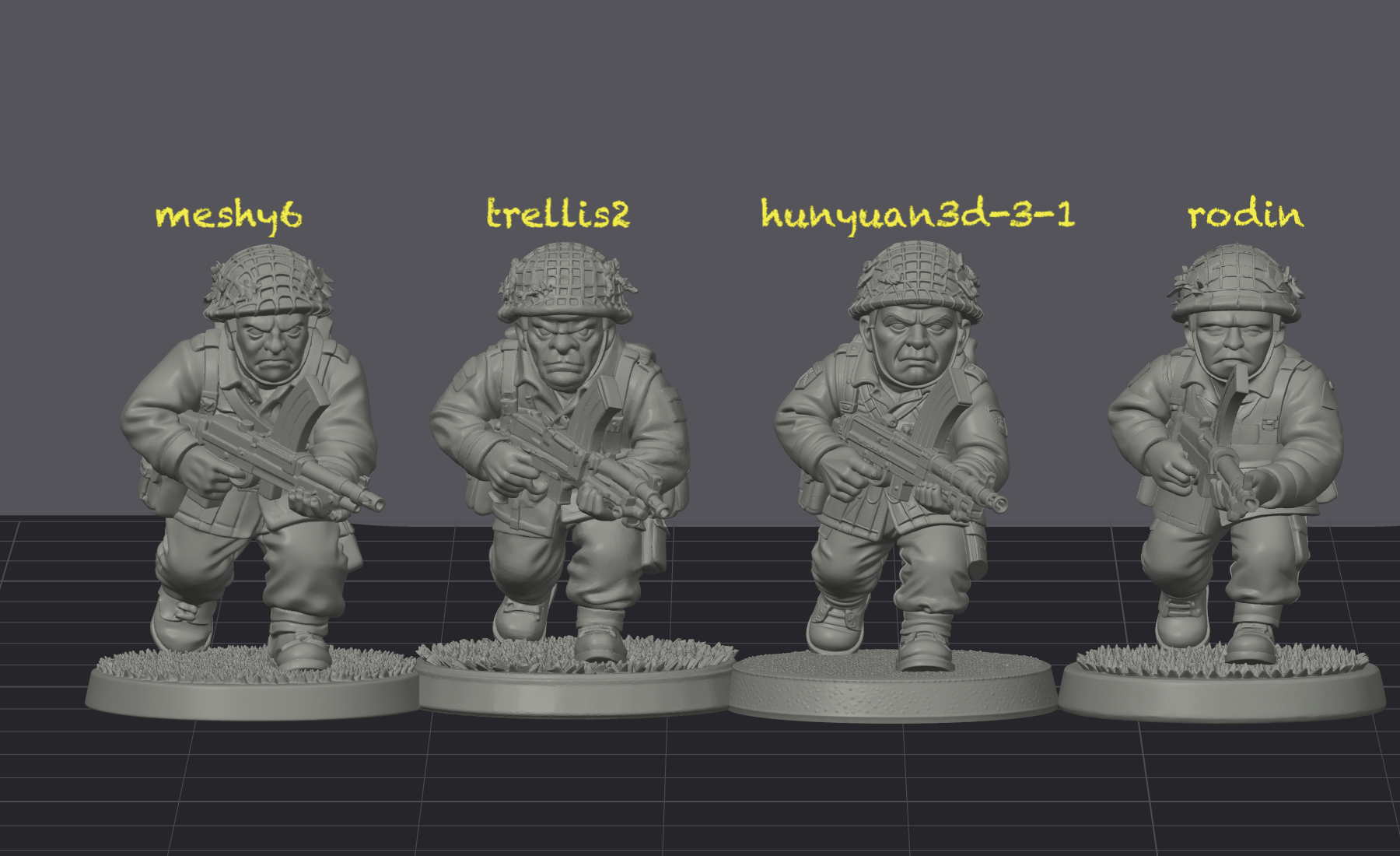
Interesting thing about the infantry: the ranking shifts slightly. For a single figure with nowhere to hide there’s less room for a model to give up, and Rodin’s restraint reads as blandness rather than discipline. Hunyuan picks up character that the vehicles wouldn’t let it show. But trellis and meshy still remain consistently the best.
What the experiment actually revealed
What started as a workaround for running out of Meshy credits has turned into something I find genuinely useful, which is a set of personality reads on five different 3D generation models. Meshy is still the one I reach for when I want a printable vehicle, because Meshy is willing to invent the parts it can’t see in a way that fits with the parts it can. Hunyuan is honest about what it doesn’t know, which is a trait I respect in a person and find frustrating in a generator. Trellis has compositional ambition that its execution can’t quite cash for complex models. Rodin is restrained and just can’t seem to handle faces.
None of this was visible to me when I was just using Meshy. I had a tool that worked, and works is a state that hides everything about the shape of how it works. Refactoring the CLI is what made the differences legible.
Now to get back to what I was actually trying to do…